This is a guest post by Nicolas Acuna and Mikka Olsson, co-founders of Ebbex.com, an iPhone and iPad apps development company. In the last year, they’ve had great success (and committed a fair share of mistakes!) creating apps for clients all over the world and decided to share their findings with the fine readers of Inspired Mag in the new Freelancing 101 series.
Whether you are a designer or a developer, sharing work with your clients is difficult, specially when face to face meetings are not an option. These 2 following apps have been a godsend to us and we are certain that you will enjoy using them.
ScreenFlow
What it is:
This screen casting software by Telestream will record the contents of your monitor while recording audio from your microphone swell as your computer audio. At a $99 price point, this app is truly worth the price.
How we use it:
- We use this app to create guided walk throughs of our work before sending it to our clients.
- It also has a very useful “publish to youtube” feature that allows us to send a simple private link to our clients instead of having to send a heavy video file.
- ScreenFlow allows you to pause and restart a particular recording, edit existing recordings, add notes as well as stitch different recordings together as one file
- When we share wireframes or a PSD design with a client, we usually send an accompanying link to a ScreenFlow walk through
Reflection
What it is:
An airplay mirroring app that allows you to wirelessly display the content of your iPhone or iPad on your monitor. The single user license is a steal at $14.99.
How we use it:
- When we want to see an app on the big screen with out having to run a simulation.
- We combine it with ScreenFLow to show a client a guided walk through of an app, whether its just a dummy app showing the designs or whether its a fully working build.
ScreenTaker
What it is:
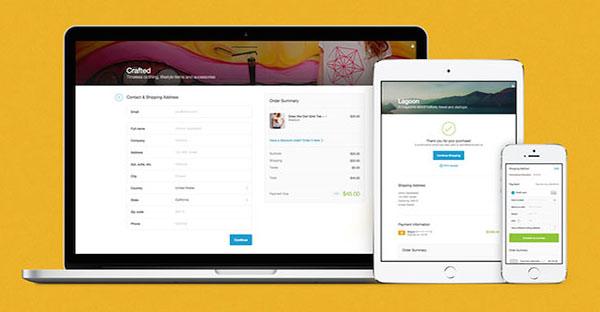
A simple Mac app that creates screenshots for iOS apps easier by letting you apply effects to them. Worth every penny of the $4.99.
How we use it:
- Create .png files from photoshop and easily drop them into the ScreenTaker utility, add the desired effect and share it with the client.
- Great for a quick and professional way to display app designs
We use all three of these apps everyday ago great results and we hope they are beneficial to you and help you keep your clients happy.
Latest posts by Nicolas Acuna and Mikka Olsson (see all)
- Know your Self, Know your Client – November 19, 2012
- Old Friends, New Opportunities – 3 Simple Steps to Gain New Business from Previous Clients – September 27, 2012
- 3 Great Tools to Display your Work – September 21, 2012
- Freelancing 101: How to Freelance for Big Companies 2 – September 11, 2012
- Freelancing 101: How to Freelance for Big Companies – September 5, 2012


[...] This is a post from Inspired Magazine. If you like it, you may want to subscribe to our RSS full feed to be updated on every article we’re publishing. Also, it’s highly recommended to follow us on Twitter!3 Great Tools to Display your Work [...]
Nice article! If you like ScreenTaker, I think you’d find AppFlows interesting- http://appflo.ws Like ScreenTaker, we apply the iphone/ipad device wrapper effect, but we also let you do multiple images at a time and create screen-by-screen presentations.
Check out an example here: http://bit.ly/NNlrQU